
Goal
Managing collaborators in your projects
Solution
- Select the project on which you would like to manage collaborators.
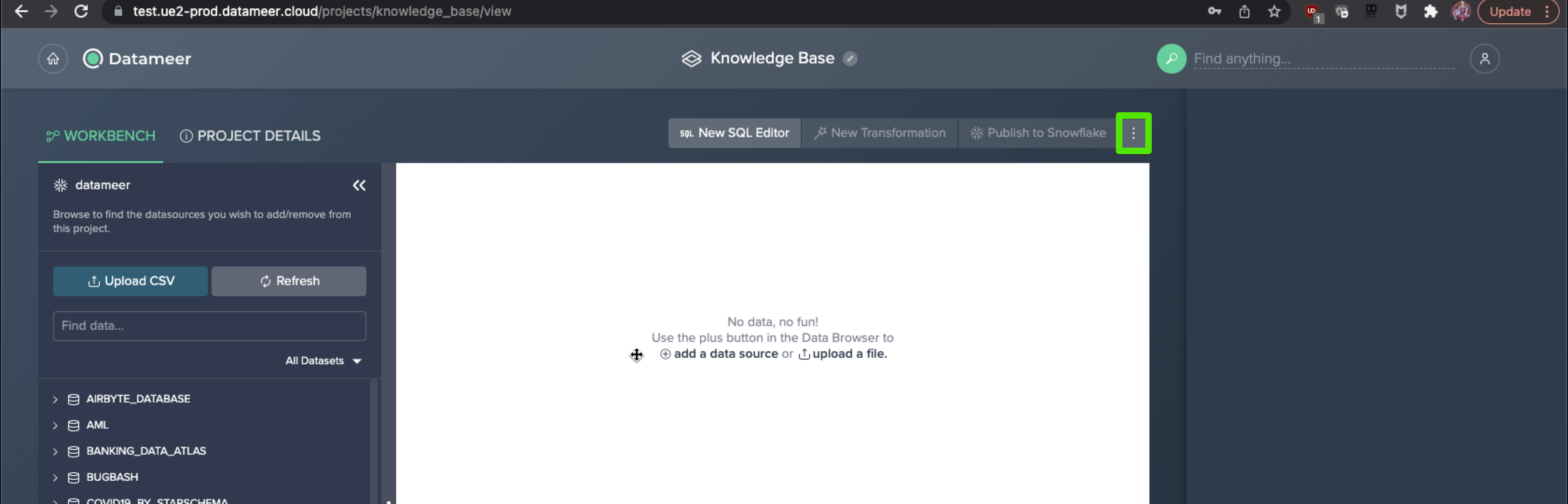
- Select the "More" button at the top right of the workbench area.
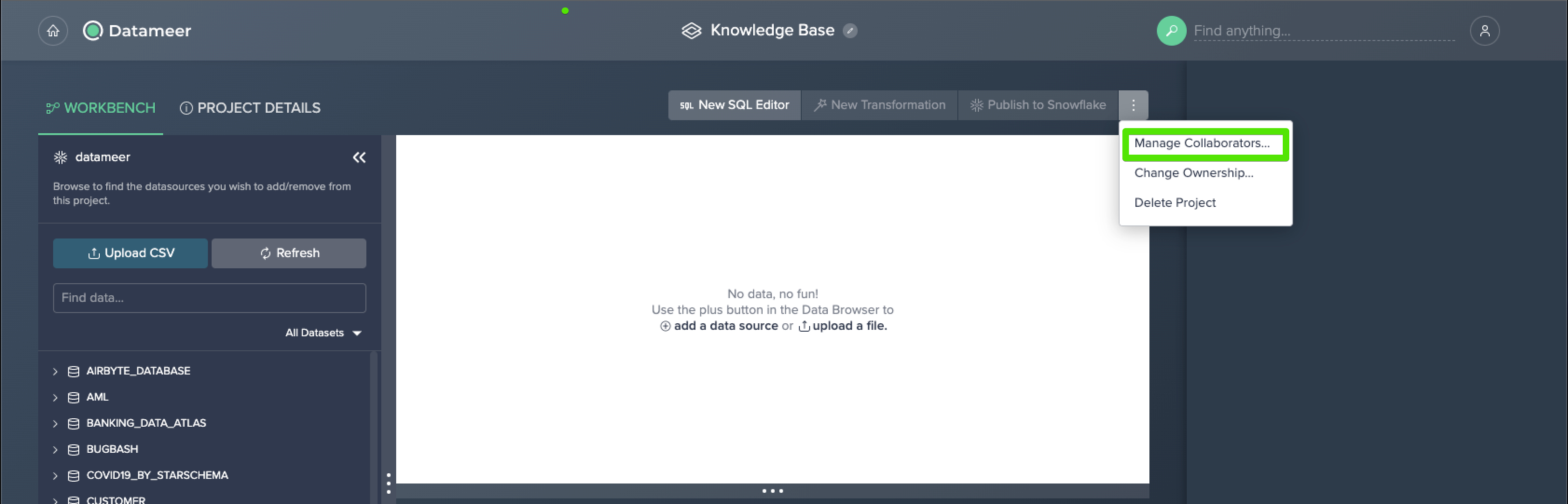
- Select "Manage Collaborators."
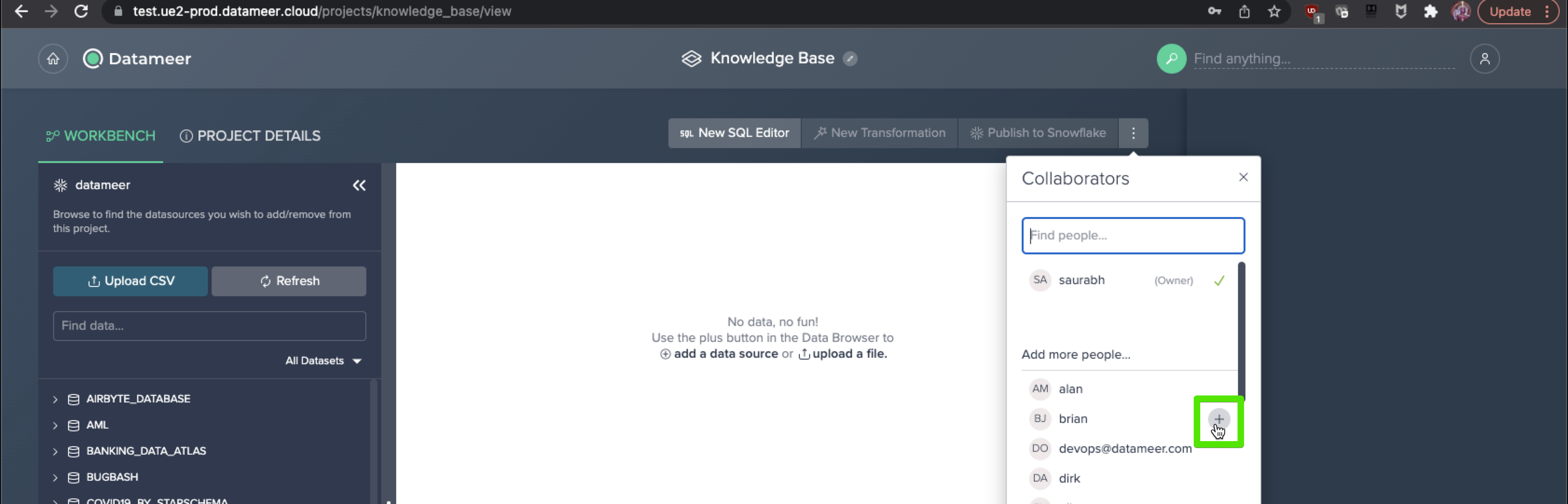
- To add collaborators, find or search for the user in question and select the "+" icon.
- Click Apply.
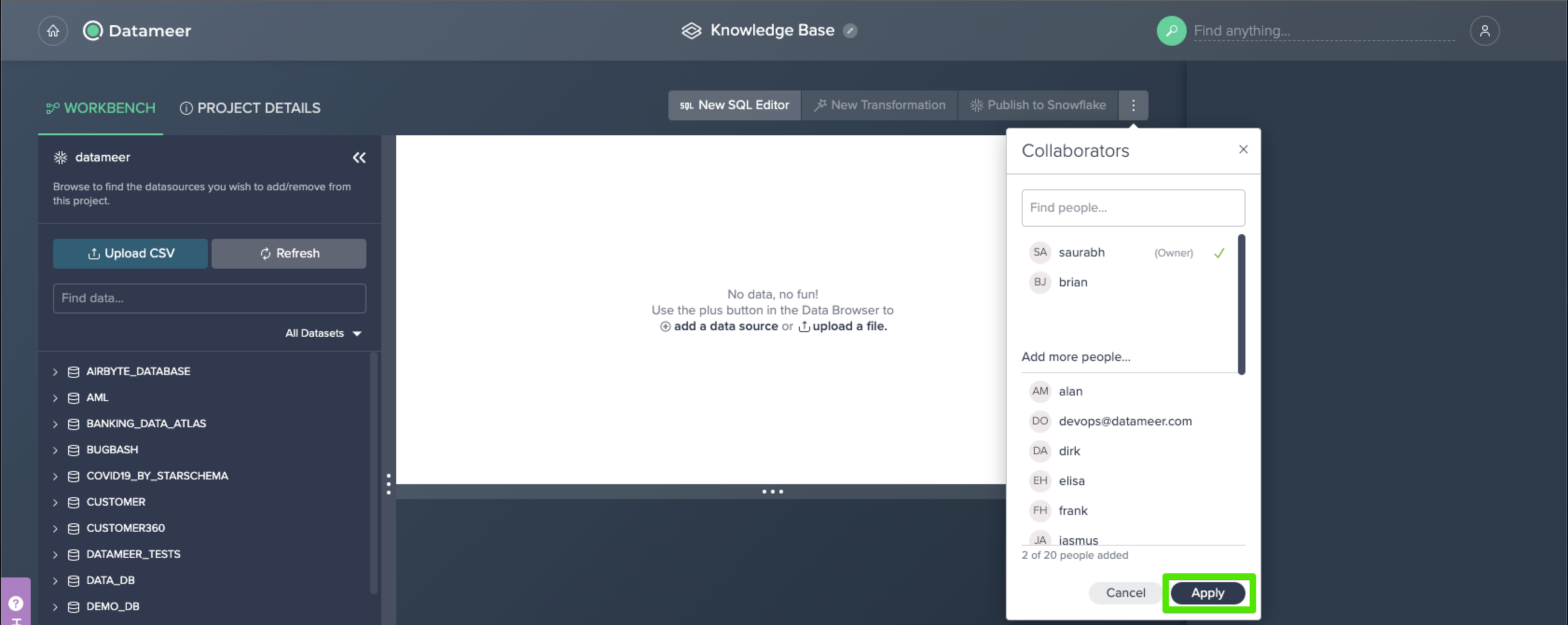
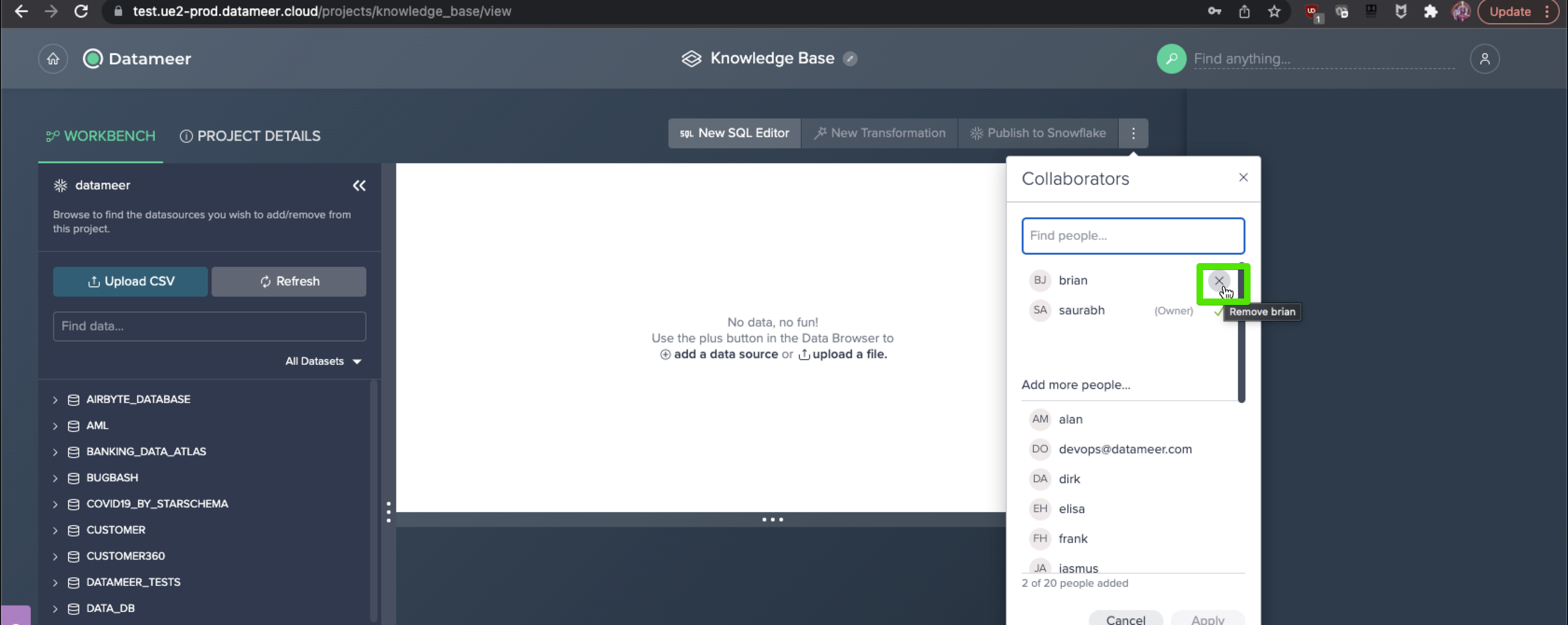
- To remove collaborators, select the "X" icon after their name and click Apply.
Comments
0 comments
Please sign in to leave a comment.